AVIF in 2026 - Why You Should Stop Using JPEG Today
Adam SzczotkaThe State of Web Images in 2026
Images account for over 50% of the average web page weight. Despite this, most developers still serve JPEG and PNG - formats designed in the 1990s. Meanwhile, AVIF has been supported by every major browser since 2023.
What Is AVIF, Actually?
AVIF (AV1 Image File Format) is an image format based on the AV1 video codec, developed by the Alliance for Open Media - a consortium including Google, Apple, Mozilla, Netflix, and Amazon.
Unlike JPEG, which compresses images in 8x8 pixel blocks (causing visible artifacts at low quality), AVIF uses variable-size block partitioning. It analyzes the image content and chooses the optimal block size per region. Flat backgrounds get large blocks (efficient), while detailed areas get small blocks (preserved quality).
Key technical advantages:
- 10-bit and 12-bit color depth - no more banding in gradients
- HDR support - wide color gamut (BT.2020) and PQ/HLG transfer functions
- Alpha channel - transparency support (unlike JPEG)
- Lossless mode - when you need pixel-perfect output
When AVIF Beats Everything
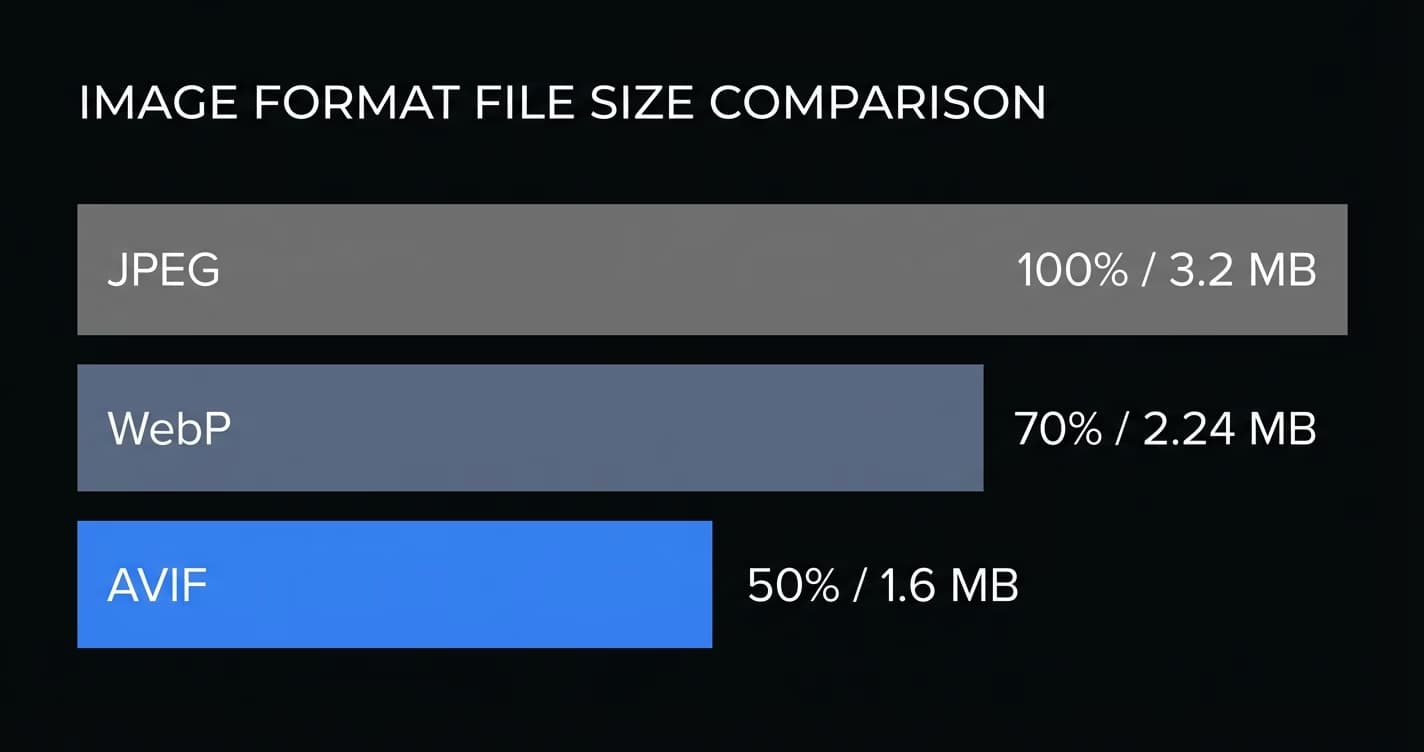
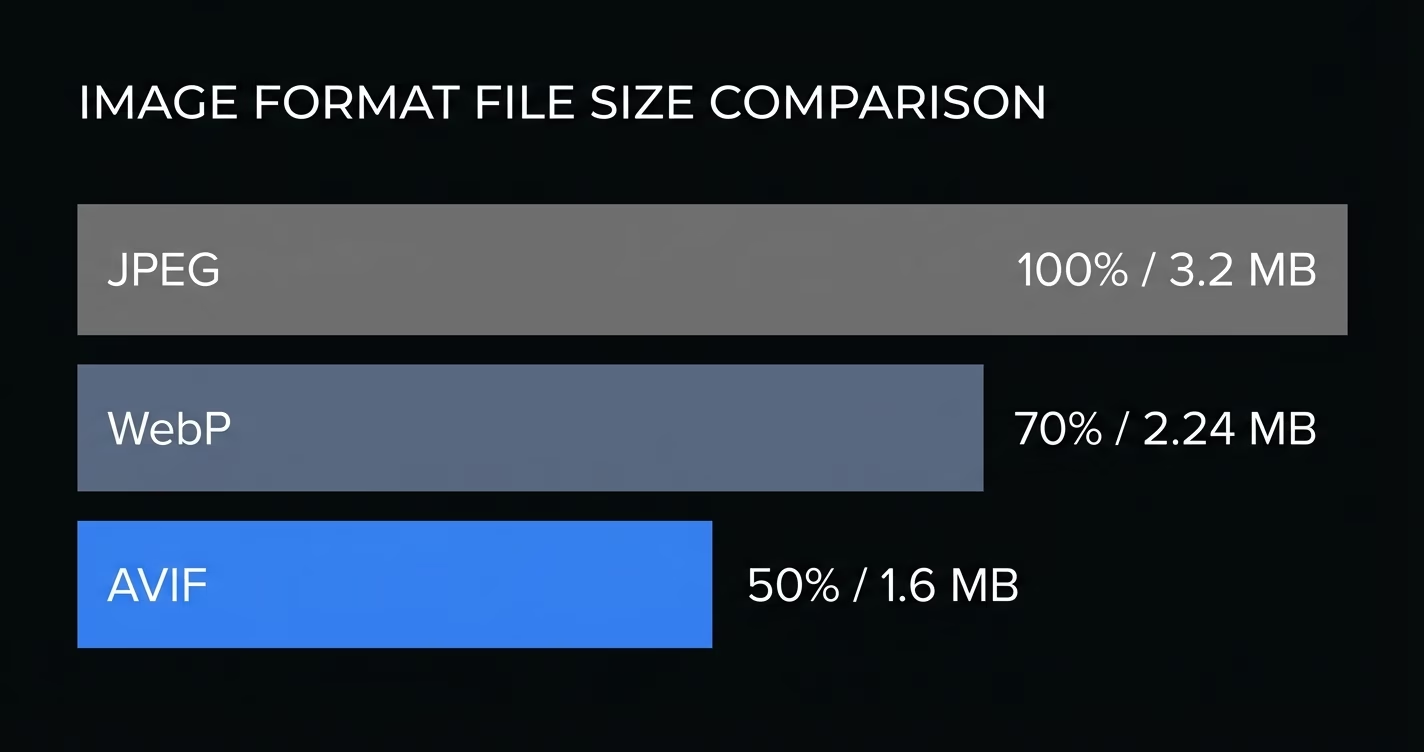
Photographs and complex images - This is where the ~50% savings over JPEG matter most. A 500KB hero image becomes 250KB with identical perceived quality.
E-commerce product shots - Clean backgrounds with detailed subjects. AVIF handles the contrast between flat and complex regions better than any other format.
Thumbnails and social cards - At very low file sizes (under 30KB), AVIF maintains sharpness where JPEG turns into a blocky mess.
Dark UI screenshots - JPEG compression artifacts are most visible in dark, low-contrast areas. AVIF handles these cleanly.
When to Stick with Other Formats
- Simple icons/logos - PNG or SVG wins. AVIF encoder overhead is not worth it for a 2KB icon.
- Animated images - AVIF supports animation, but browser implementation is inconsistent. Use WebP or video.
- Encoding speed matters - AVIF encoding is 10-20x slower than JPEG. For real-time user uploads, encode in a background job.
Serving AVIF with Fallbacks
Never serve AVIF without a fallback. The <picture> element handles this natively:
<picture>
  <source srcset="photo.avif" type="image/avif">
  <source srcset="photo.webp" type="image/webp">
  <img src="photo.jpg" alt="Description">
</picture>
The browser picks the first format it supports. No JavaScript needed.
Converting Without Uploading
Most online converters require you to upload files. If you work with NDA-protected content - that is a risk. Client-side conversion is possible using WebAssembly.
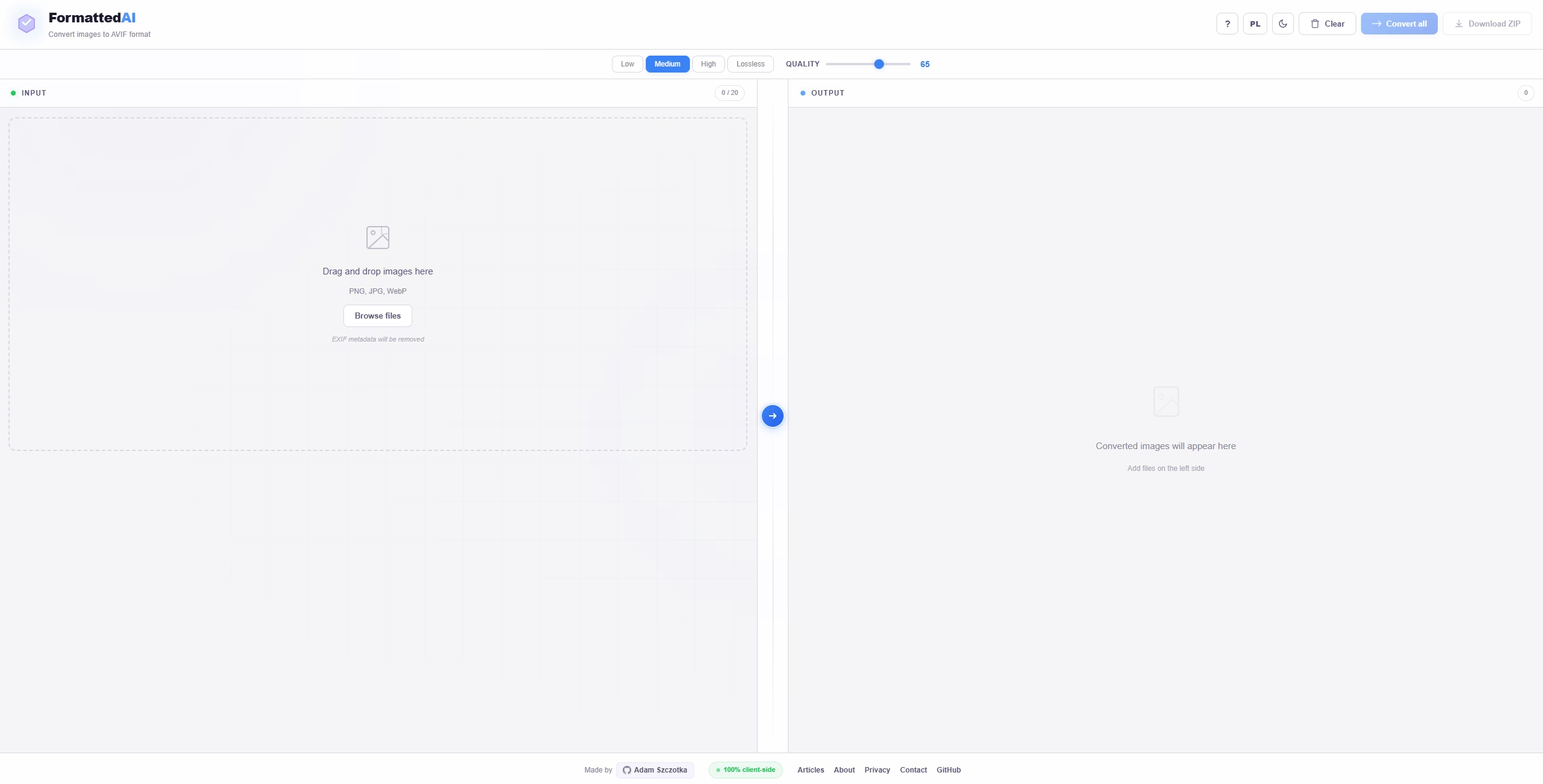
I built this into FormattedAI - a free tool that converts images to AVIF directly in the browser. Your files never leave your device.
Optimal Quality Settings
After testing hundreds of images:
- Hero images, photography - quality 75-80 (~45% savings vs JPEG)
- Blog content images - quality 60-70 (~55% savings)
- Thumbnails, cards - quality 50-60 (~60% savings)
- Background textures - quality 40-50 (~70% savings)
The sweet spot for most web images is quality 65-75.
Server-Side with Sharp
For Node.js pipelines, Sharp is the fastest option:
import sharp from "sharp";

await sharp("input.jpg")
  .avif({ quality: 75 })
  .toFile("output.avif");
It processes a 4000x3000 image in under 500ms - 10x faster than WASM encoders.
Real Performance Impact
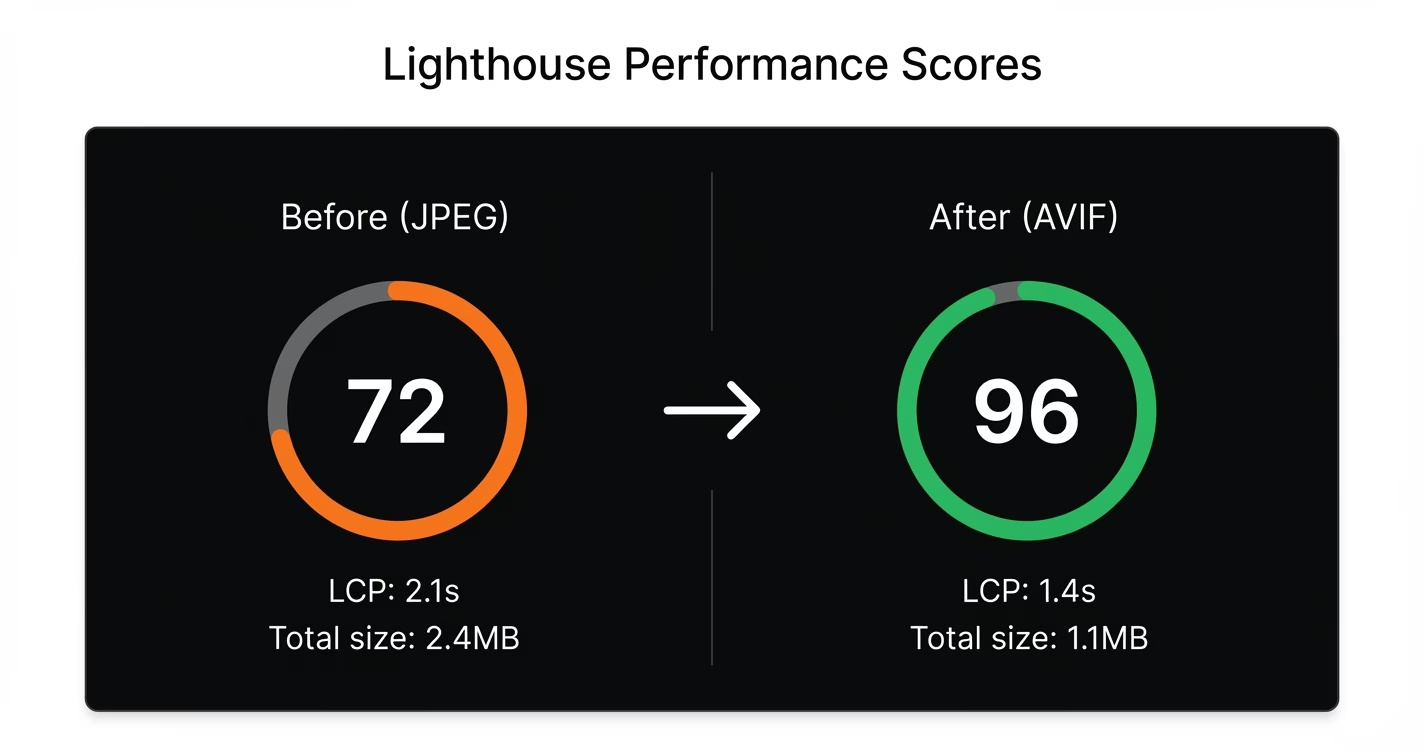
Switching from JPEG to AVIF on a real site:
- Total image weight: 2.4 MB to 1.1 MB (-54%)
- LCP: 2.1s to 1.4s (-33%)
- Page load on 3G: 8.2s to 5.1s (-38%)
The LCP improvement directly impacts SEO - Google uses Core Web Vitals as a ranking signal.
Checklist
- Audit your largest images (hero, product photos)
- Set up conversion - Sharp server-side, or FormattedAI for manual batch
- Use
<picture>with AVIF, WebP, JPEG fallbacks - Generate blur placeholders (32px base64) for blur-up loading
- Set cache headers -
max-age=31536000for immutable assets - Monitor Core Web Vitals after deployment