Introducing FormattedAI - Privacy-First Developer Tools
Adam SzczotkaWhy I Built FormattedAI
Every time I needed to format markdown, minify CSS, or convert an image to AVIF, I had to upload my files to some random website. For a developer working with client code under NDA, that is not acceptable.
So I built FormattedAI - a collection of tools that run entirely in your browser. Nothing ever touches a server.
What It Does
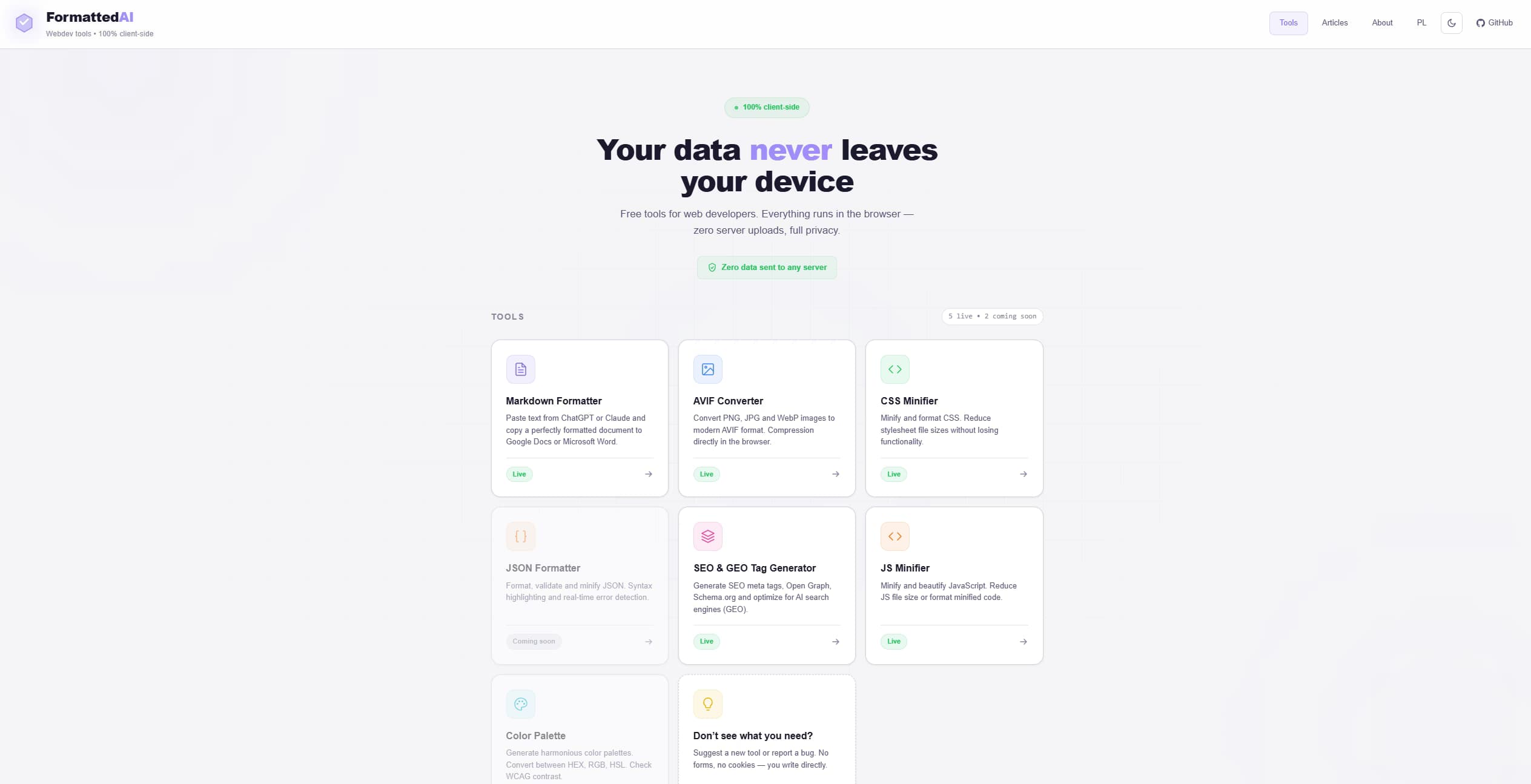
FormattedAI currently offers 5 tools:
- Markdown Formatter - paste AI-generated markdown and export to DOCX, HTML, or Google Docs
- AVIF Converter - batch image conversion using WebAssembly, with ZIP download
- CSS Minifier - powered by CSSO, running in the browser
- JS Minifier - powered by Terser, handles ES6+
- SEO/GEO Tag Generator - meta tags, Open Graph, JSON-LD, llms.txt, AI-optimized robots.txt
The Technical Approach
The entire app is built with vanilla HTML, SCSS, and JavaScript. No React, no Vue, no frameworks. Build tools are limited to Sass and esbuild. This keeps the bundle under 50KB per page and eliminates supply chain risk.
The AVIF converter is the most technically interesting part. It uses jSquash compiled to WebAssembly, running in a Web Worker so the main thread stays responsive. You can convert a batch of 20 images without the UI freezing.
Privacy by Design
Every architectural decision was made with privacy in mind:
- No server-side processing - everything runs in JavaScript/WASM
- No analytics - not even self-hosted
- No cookies - theme preference uses localStorage
- Strict Content Security Policy - prevents data exfiltration even if a dependency is compromised
What Is Next
Two more tools are in development: a JSON Formatter and a Color Palette Generator with WCAG contrast checking. Both will follow the same principle - zero server contact, everything in the browser.
Check it out at formattedai.pl or view the source on GitHub.